Collections for Phoenix: records of one kind, with fields your users define, seen as a table, a board, a calendar, a chart or a canvas.
A reading list, a CRM's contacts with the fields each customer adds, a studio's projects, an issue log, recipes. Your users make a collection, give it fields (a status, a due date, an owner, links to another collection) and see the same records in the views they save. Your agents read and write the same records, with the same checks.
Cardbox keeps all of it in your own database, PostgreSQL or SQLite, and gives the views to the libraries that draw them: Masu's table, Narabe's board, Koyomi's calendar, Fude's charts and Hakushi's canvas.
Early release. Before 1.0, a minor version may change the API.
Install
You need Elixir 1.18+, Ecto 3.13 on PostgreSQL or SQLite, and Phoenix 1.7.14 or 1.8.
With Igniter:
mix igniter.install cardbox
mix ecto.migrate
It adds Cardbox to your deps, writes your module of Cardbox's and the
migration of its tables, and shows each change before it writes. Or by
hand: add {:cardbox, "~> 0.1"} to the deps in mix.exs, then
mix deps.get
mix cardbox.install
mix ecto.migrate
A board comes with Cardbox (Narabe). Add the libraries of the other views
you show: {:masu, "~> 0.7"} for tables, {:koyomi, "~> 0.2.1"} for
calendars, {:fude, "~> 0.7"} for charts, {:hakushi, "~> 0.6"} for
canvases.
Cardbox's tables are versioned (Cardbox.Migrations): after an upgrade
of Cardbox that changes them, mix cardbox.gen.migration writes the
migration that takes them to the new version.
Your first collection
Your app has a module of Cardbox's:
defmodule MyApp.Cardbox do
  use Cardbox, repo: MyApp.Repo, pubsub: MyApp.PubSub
end
Make a collection, with its fields:
{:ok, books} =
  MyApp.Cardbox.create_collection(%{
    name: "Reading list",
    owner: {"workspace", workspace.id},
    fields: [
      %{name: "Title", type: "text"},
      %{name: "Status", type: "status"},
      %{name: "Rating", type: "number", options: %{format: "integer"}},
      %{name: "Finished", type: "date"}
    ]
  })
Add records. Values go in by field name or key, as a form or an agent gives them, and each is checked against its field:
{:ok, dune} = MyApp.Cardbox.insert(books, %{"Title" => "Dune", "Status" => "In progress"}, actor: user)

{:error, %Cardbox.Error{message: "Rating is a number, got: \"lots\""}} =
  MyApp.Cardbox.update(books, dune, %{"Rating" => "lots"})
Ask for them. The database filters, sorts and searches:
{:ok, reading} =
  MyApp.Cardbox.list(books, %{
    "filter" => %{"field" => "status", "op" => "in_group", "value" => "doing"},
    "sort" => [%{"field" => "title"}]
  })
Save a view, and show it:
{:ok, view} =
  MyApp.Cardbox.save_view(books, %{
    name: "Finished this month",
    query: %{"filter" => %{"field" => "finished", "op" => "within", "value" => "this_month"}}
  })
<Cardbox.Masu.table cardbox={MyApp.Cardbox} collection={@books} view={@view} actor={@user} searchable />The Quickstart continues from here, with a full LiveView, live updates and a board.
What you get
- Fields people define. Text, numbers, checkboxes, dates (with a time, in UTC), selects and multi-selects with coloured choices, statuses in groups, people, links, emails, phones, relations between collections (two-way, if you like), and who made and changed each record and when. Rename a field or a choice and nothing else changes; change a field's type and its values are converted. → Fields
- Queries that run in your database. Conditions in groups of
andandor, sorts, and search, on PostgreSQL and SQLite alike. Days said in words ("within the next week") and "me" are read when the query runs, so one saved view shows each person their week. → Queries - Saved views, and only the ones you need. A table (Masu), a board (Narabe), a calendar (Koyomi), a chart (Fude) or a canvas (Hakushi), each with its query and its options, shared or someone's own. Each binding compiles only when your app has its library, and your app adds types of its own (a timeline, a map). A view whose field was deleted still opens. → Views
- One way in. A form, a grid, a board, an import, an email, an agent:
every write goes through the same checks, your
allow?/3, a compare-and-swap for values someone changed meanwhile, and an event that every open view receives. - Built for agents.
Cardbox.describe/1gives a model each field, its choices and the filters it takes,Cardbox.json_schema/1the values a record takes as a JSON Schema, and every error says what to write instead. → Agents - Upgrades you can read. Cardbox's tables have versions, and your
migrations pin them: a migration written once does the same thing with
every later Cardbox (
Cardbox.Migrations). - Tested both ways. The database and Elixir answer every query the same: a property test runs random queries on random records and compares.
Try the demo
mix deps.get
mix dev
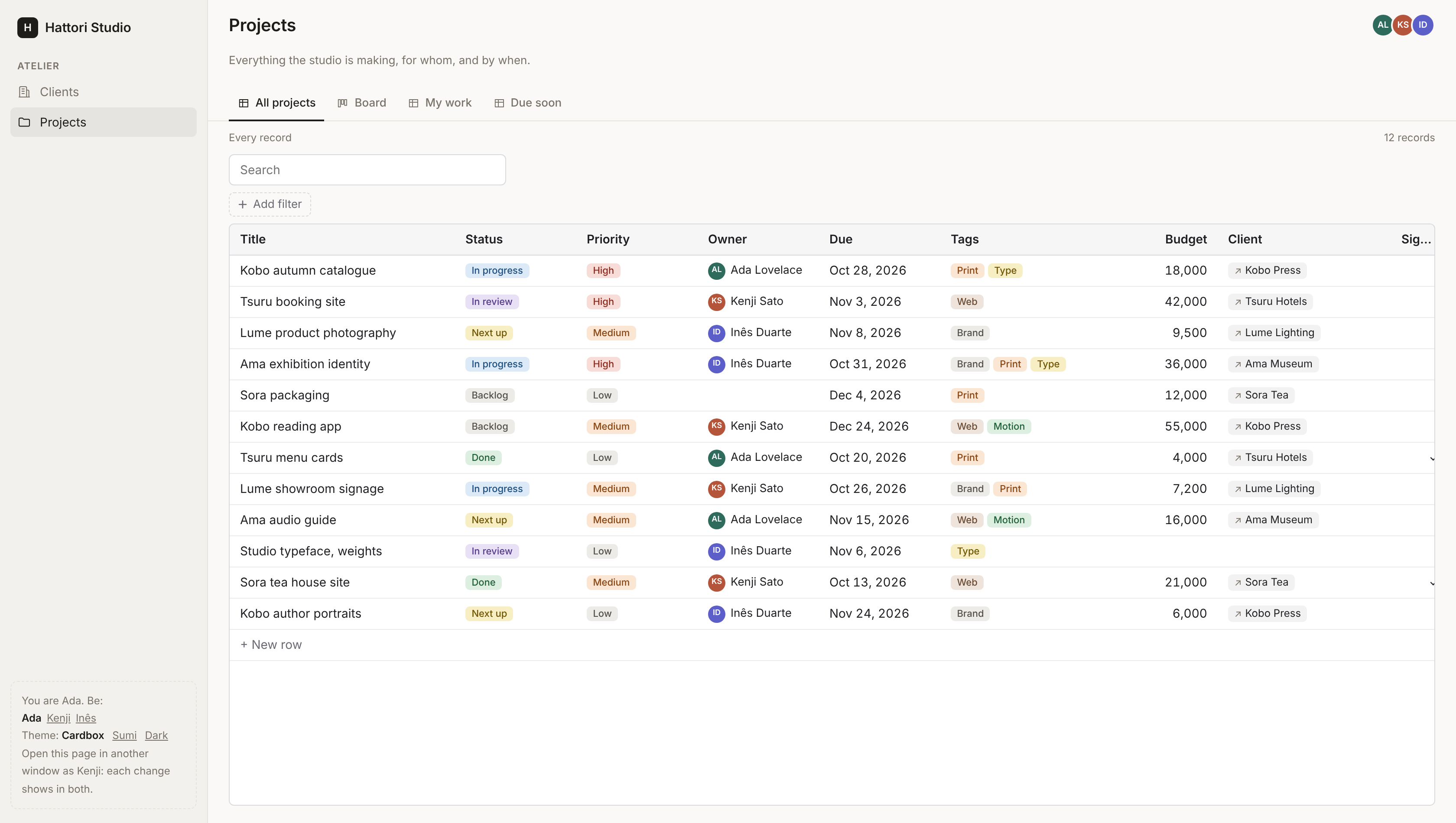
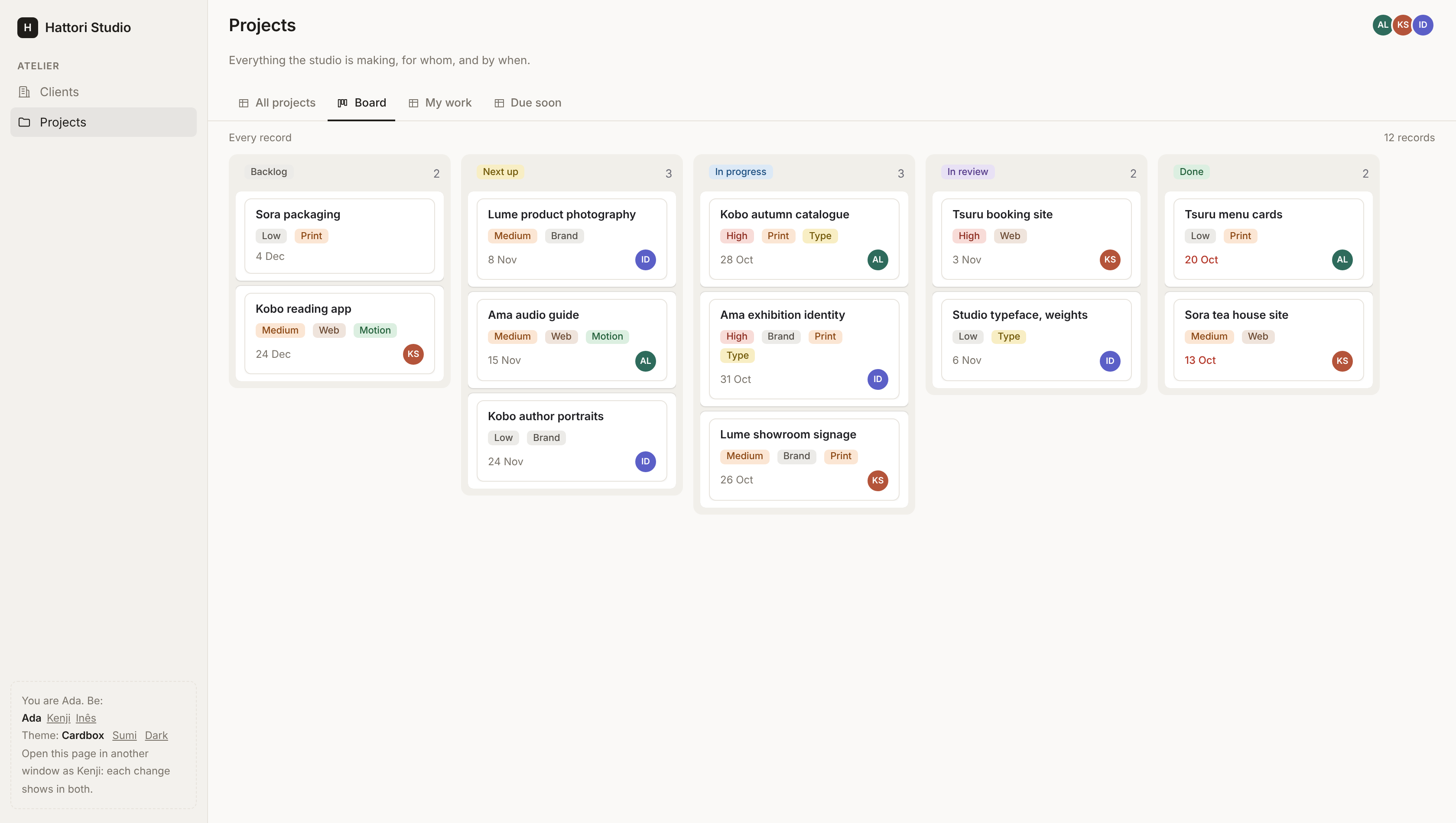
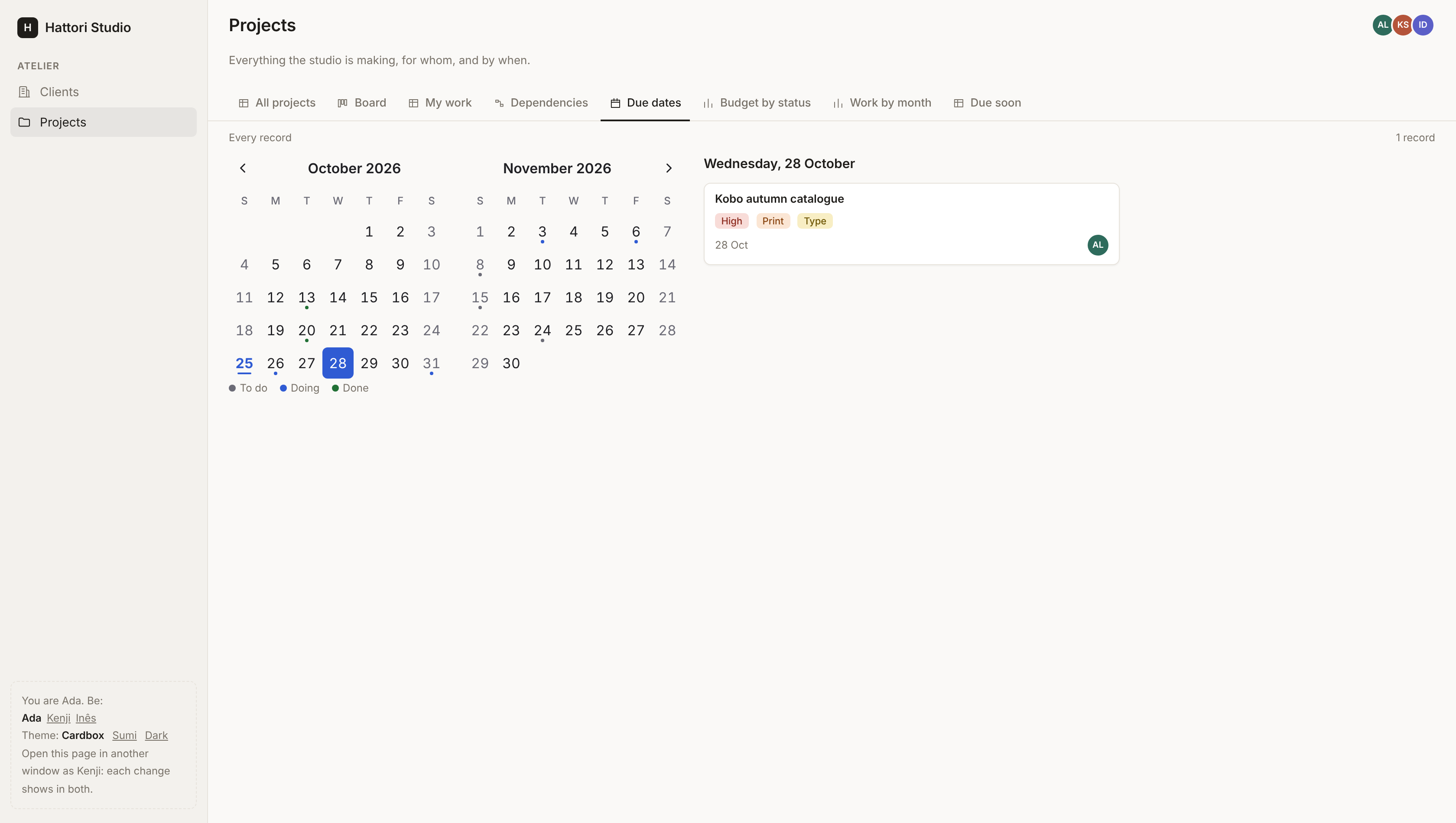
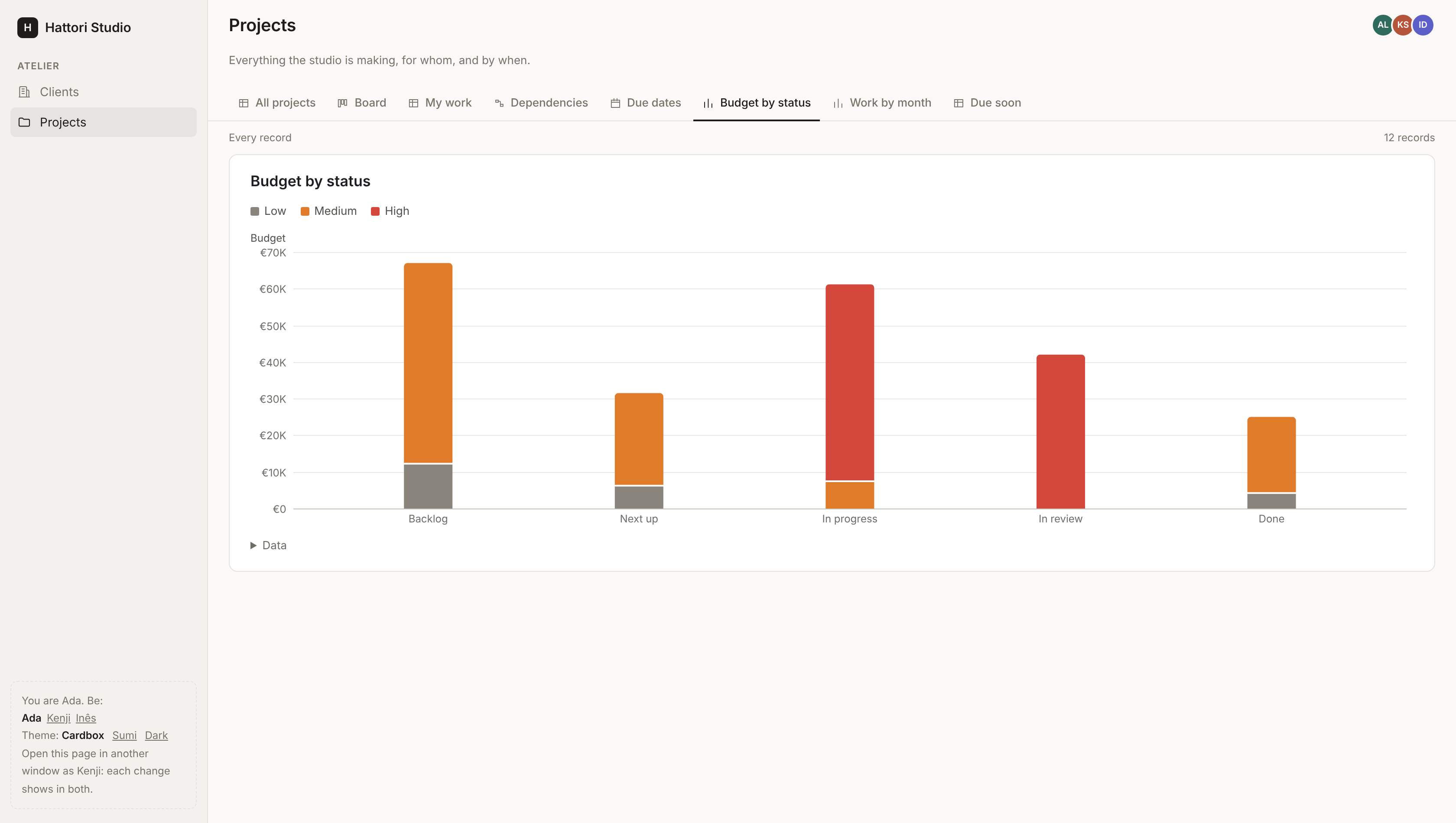
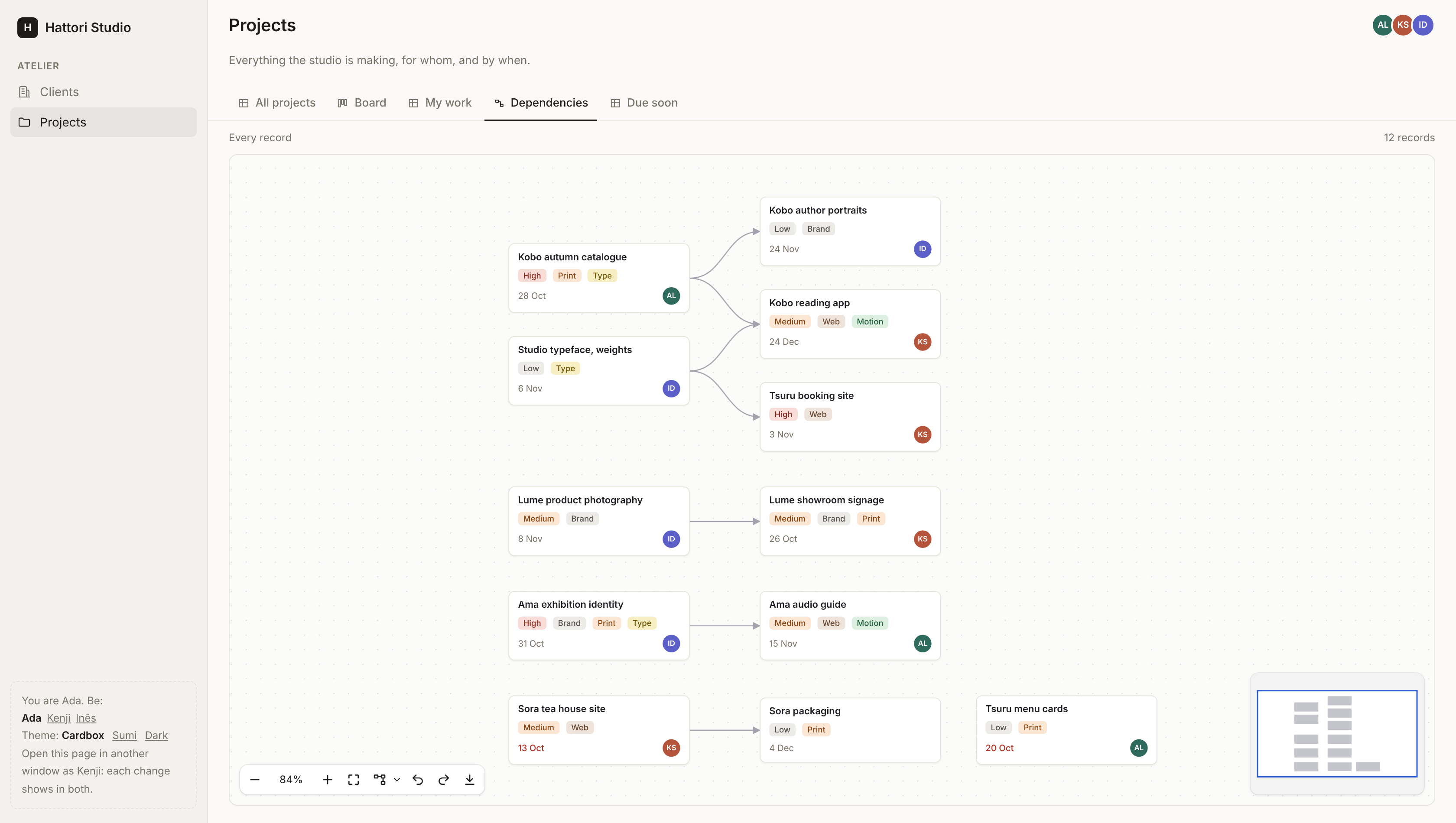
Open http://localhost:4099. The demo is a studio's work in two collections, Projects and Clients, linked both ways, with saved views: a table, a board, "My work", "Due soon", a calendar of due dates, two charts, and "Dependencies", a canvas of which project waits on which (draw an edge to link two). Open a second window as Kenji (the panel at the bottom left): a card moved on one board moves in every window.
Guides
Quickstart · Fields · Queries · Views · Agents · Design and roadmap
Development
mix deps.get
mix dev          # the development app at http://localhost:4099
mix test         # the tests, on SQLite
DATABASE_URL=postgres://postgres:postgres@localhost/cardbox_test mix test
mix precommit    # compile, format, credo --strict and test
License
MIT. See LICENSE.